
Onboarding learners into assessment cohorts
In order for learners to sit an initial assessment, they must be added to an assessment cohort. This is a type of class that must first be set up within the Class Admin tab by those that have a teacher account with manager permissions.
TABLE OF CONTENTS
Setting up an assessment cohort
Assessment cohorts can be created either manually or via a CSV file. Click here for more information on using a CSV to set up a cohort.
To create a cohort manually, take the following steps:
1. Go to Class Admin.
2. Click the Assessment Cohorts tab.
3. Click 'Create a Cohort'.
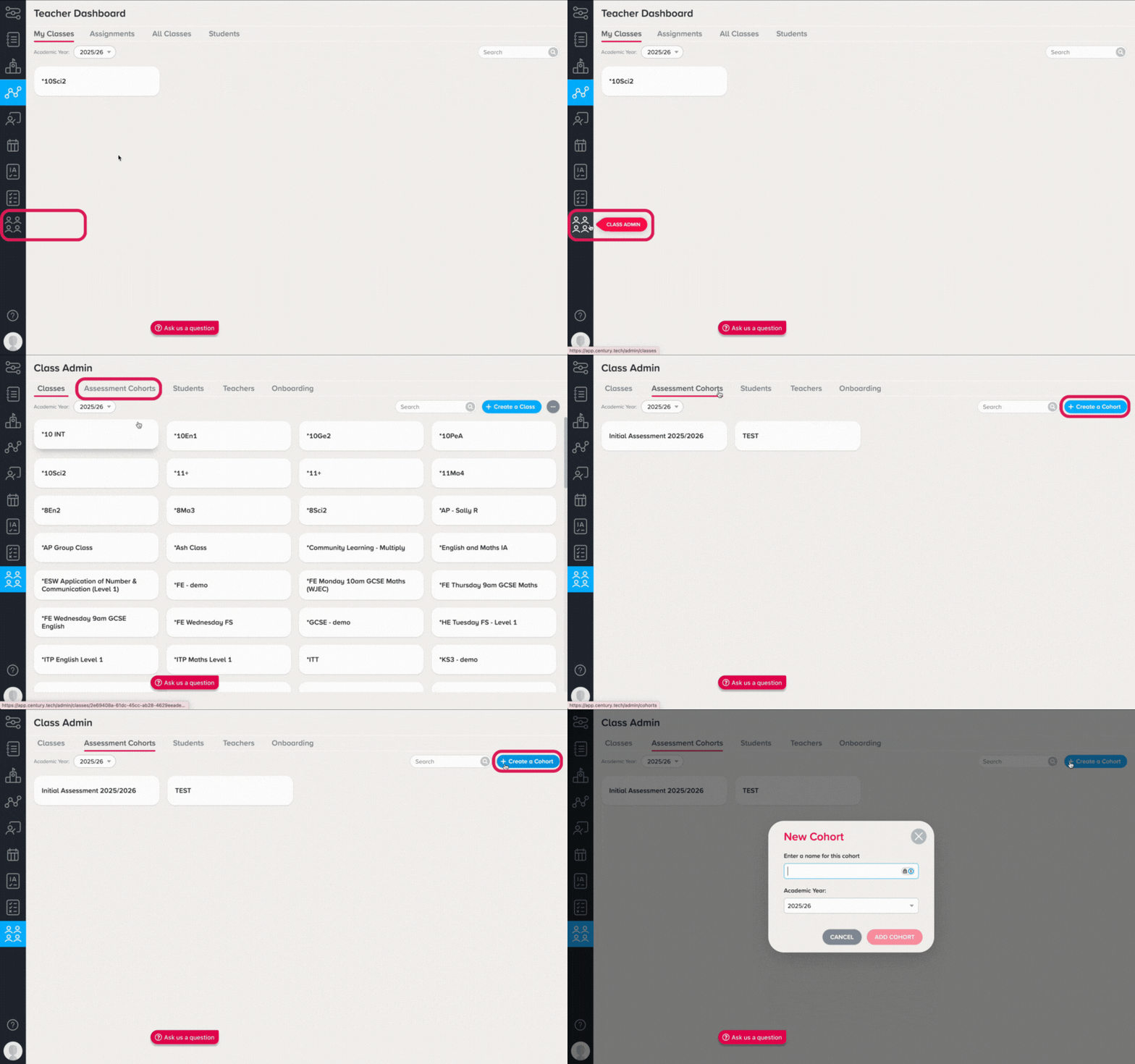
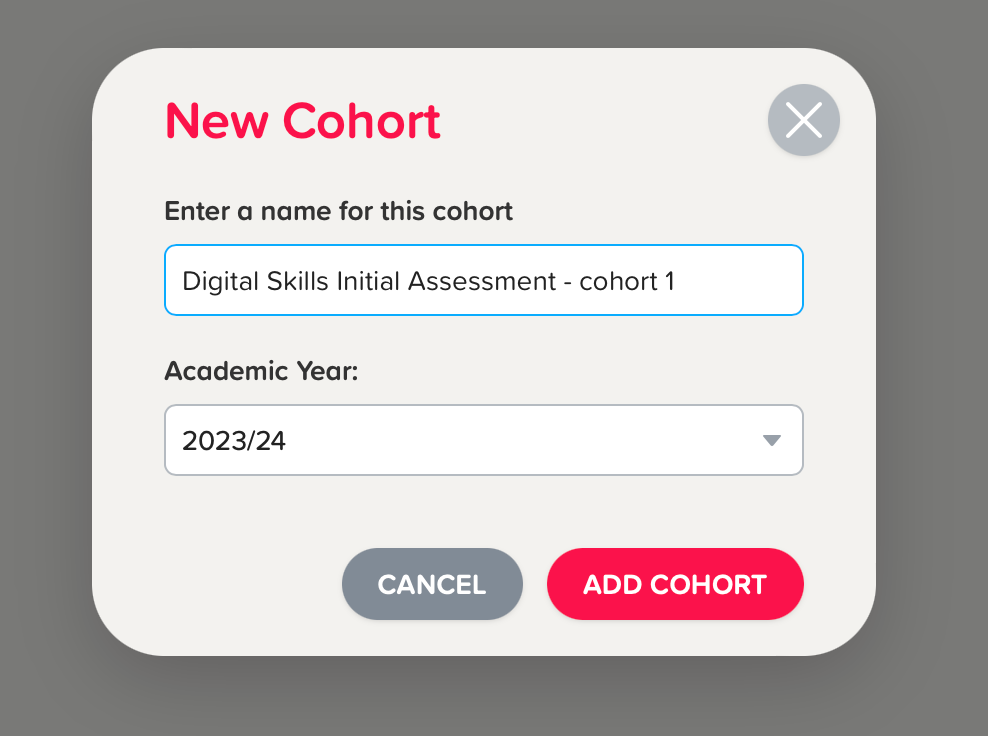
4. Enter the name and academic year for the cohort, then select ‘Add Cohort’.
Setting up learner accounts
There are three methods to onboard learners into their respective assessment cohorts.
-
CSV onboarding is useful if you have the required learner information in advance of the assessment day. With this method, you can easily onboard multiple learners at once.
-
Class code onboarding is useful for on-the-spot onboarding of many students at once.
-
Manual onboarding is only recommended for ad-hoc or last-minute onboarding of students. This method is not recommended for mass onboarding multiple students as each student will need to be added to the platform individually.
Note: To onboard learners to the platform using any of the above methods, you will require a teacher account with manager permissions. Please reach out to your Account Manager or support@century.tech for more information or to get the right permissions added to your account.