
CENTURY has been designed with Dyslexia in mind; all learning materials are available in a video format with voiceovers. It is also possible to speed up and slow down videos on CENTURY.
To enhance access for dyslexic learners, we recommend Read Aloud, a free voiceover software.
CENTURY also has a colour overlay that can be applied to the learning material and assessments.
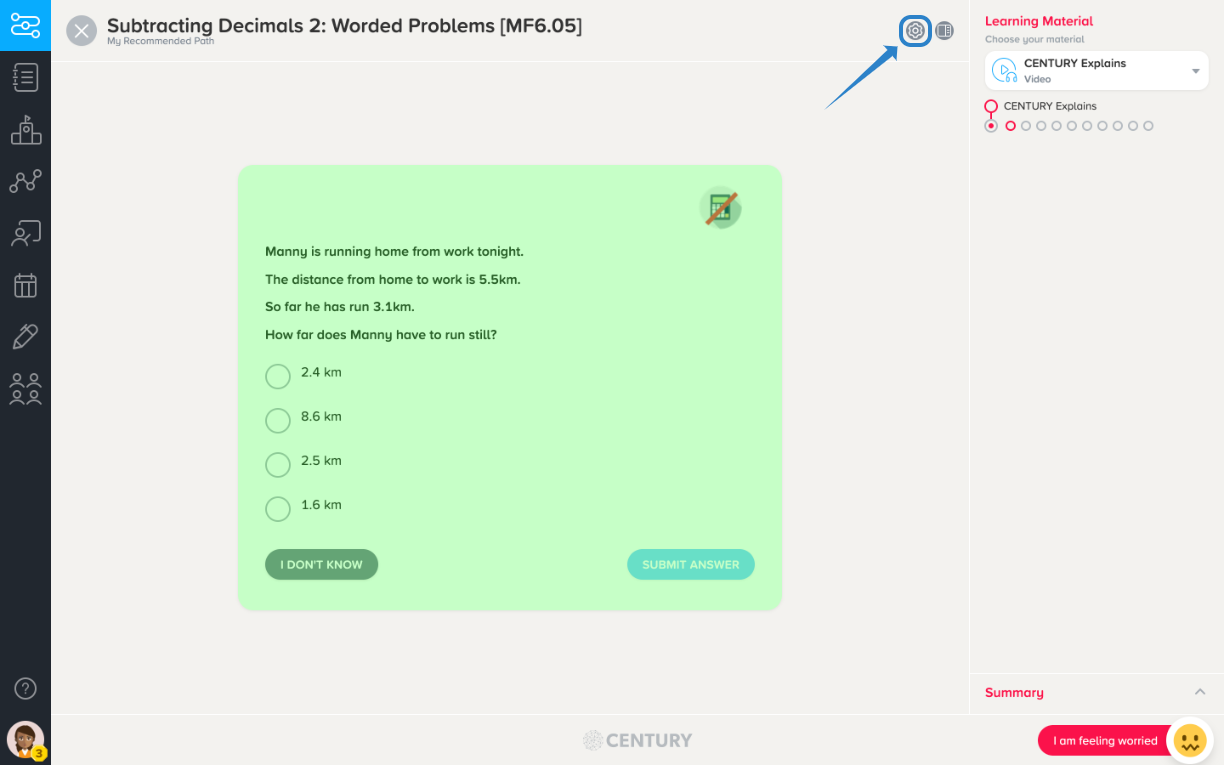
To apply the colour overlap, select the button on the top right corner of a nugget:
A drop down menu of available colours will appear, select your preferred colour and click apply.
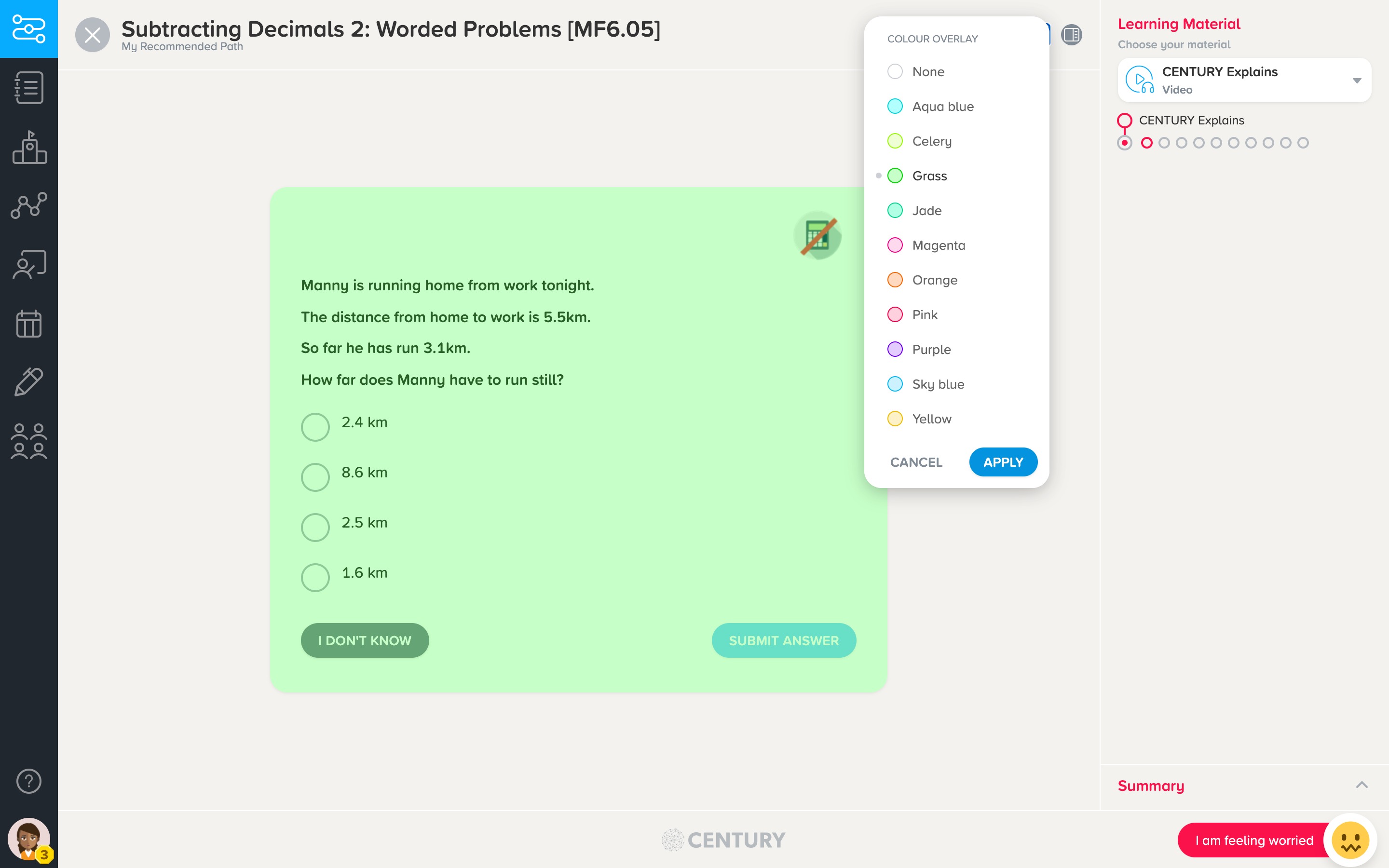
CENTURY will then remember your preference.