Note: The Leadership Dashboard is available upon request only. Please contact your Account Manager or support@century.tech to request access.
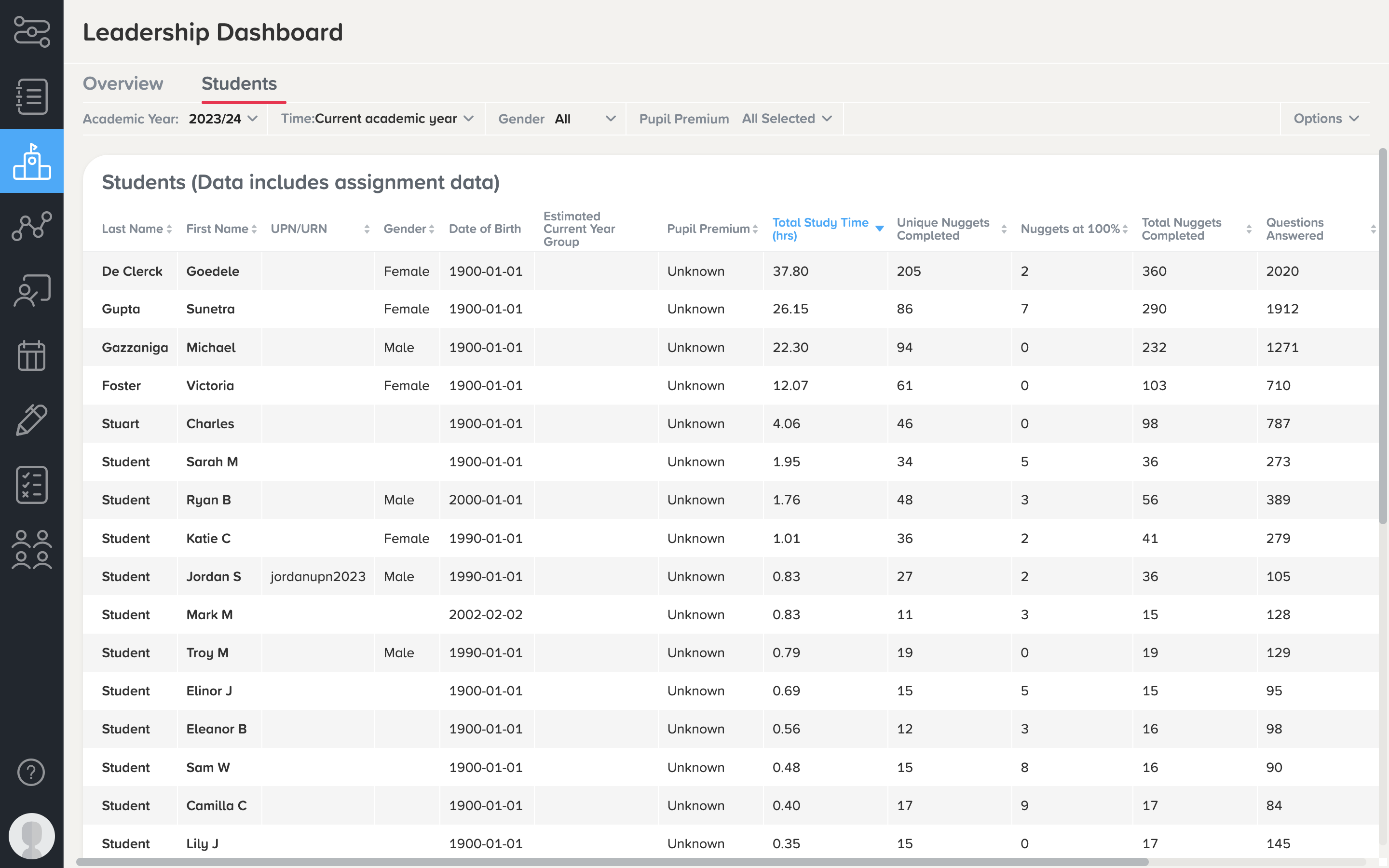
On the Student Overview page, you can see individual students' usage across all subjects.
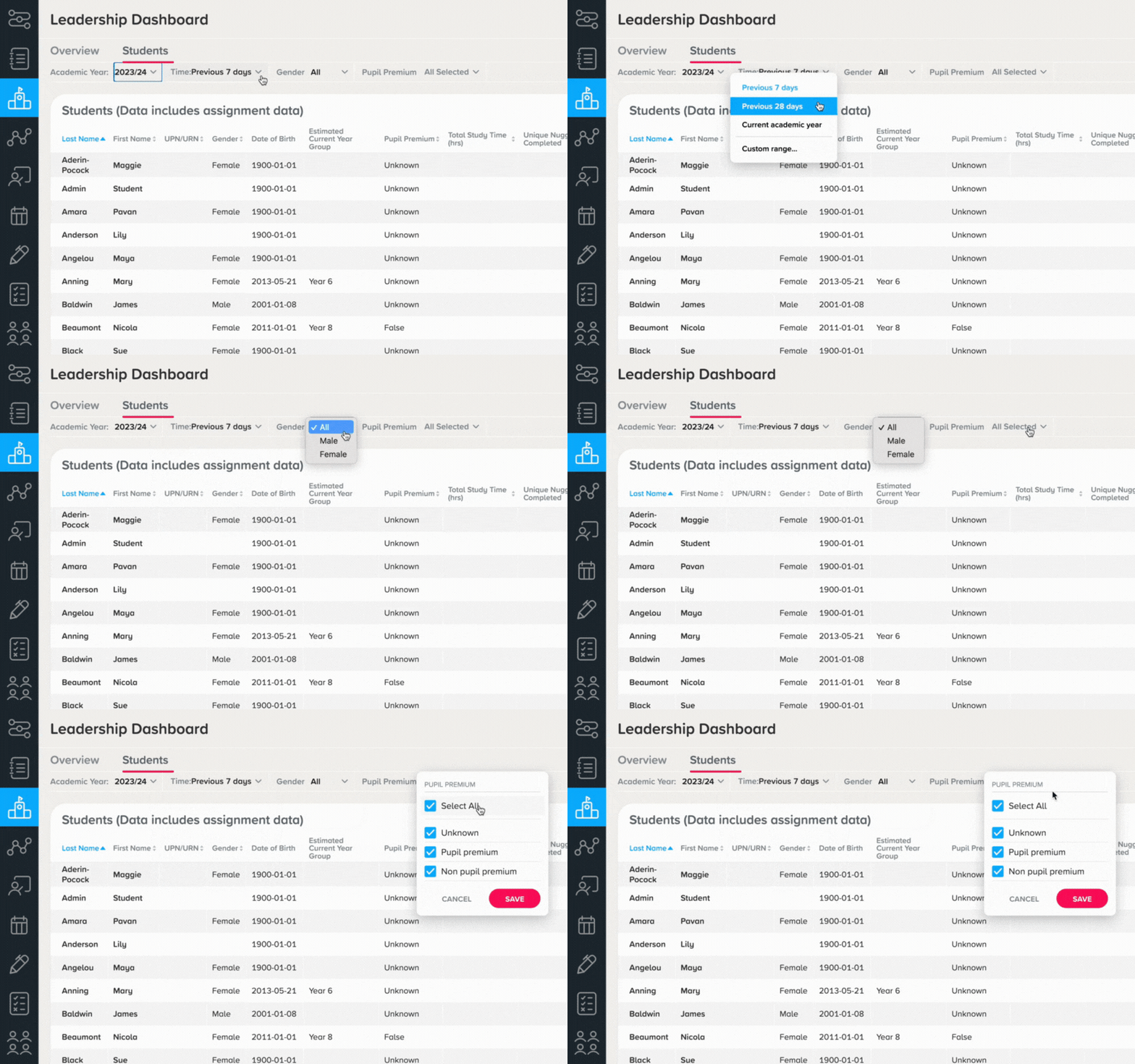
Use the dropdowns at the top of the page to filter for:
-
A specific date range
-
Academic year
-
Student gender
-
Pupil premium
Click on any heading to sort the data, allowing you to easily order students based on elements such as:
-
Total number of nuggets completed
-
Total number of questions answered
-
Total study time
-
Average scores
Clicking into a student name will take you to their individual Student Dashboard , where you can view further information on their learning activity and progress.
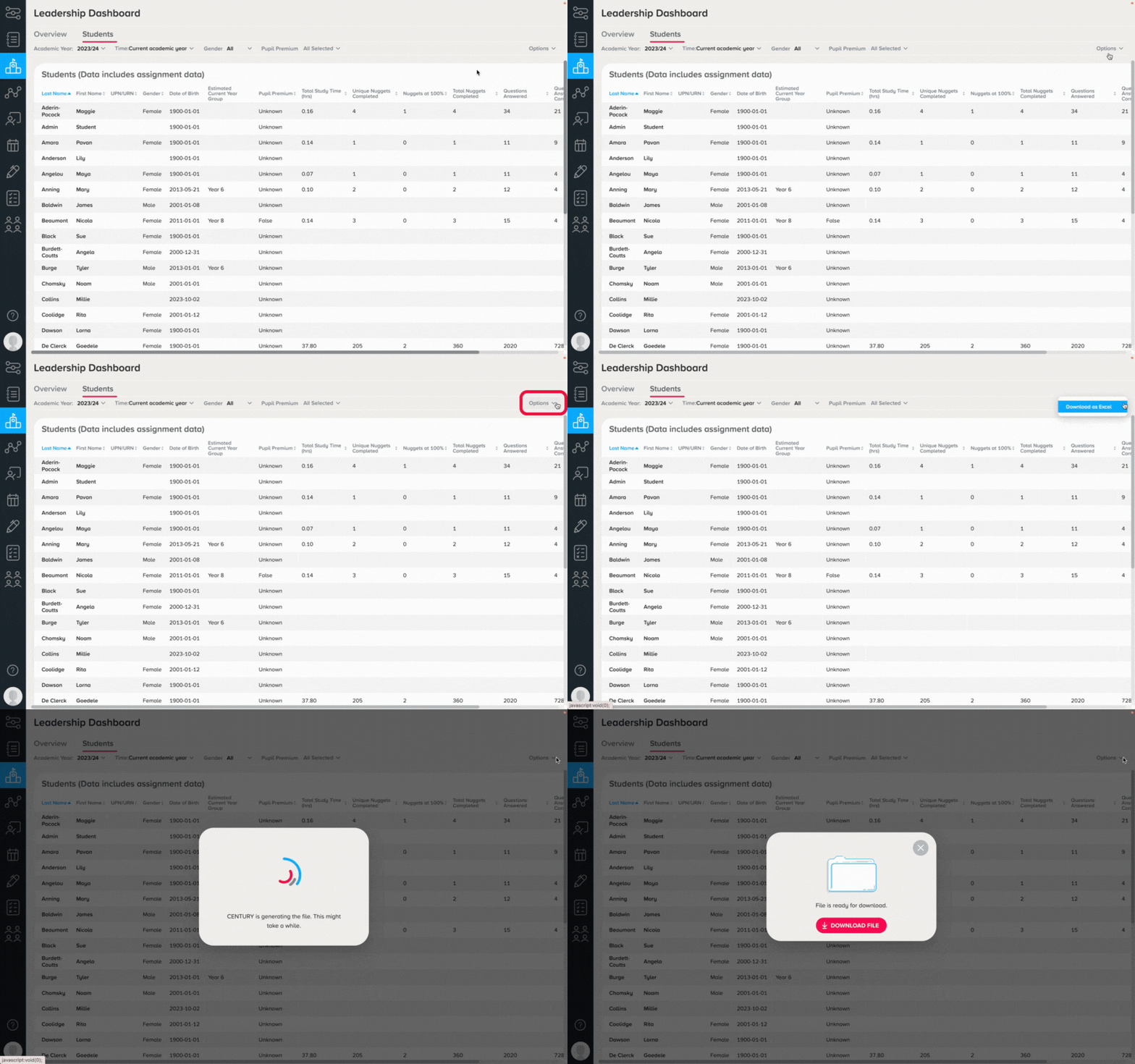
It is also possible to download the data on the Students Overview page as an Excel document by selecting 'Options' in the top right corner, then clicking 'Download as Excel'.