
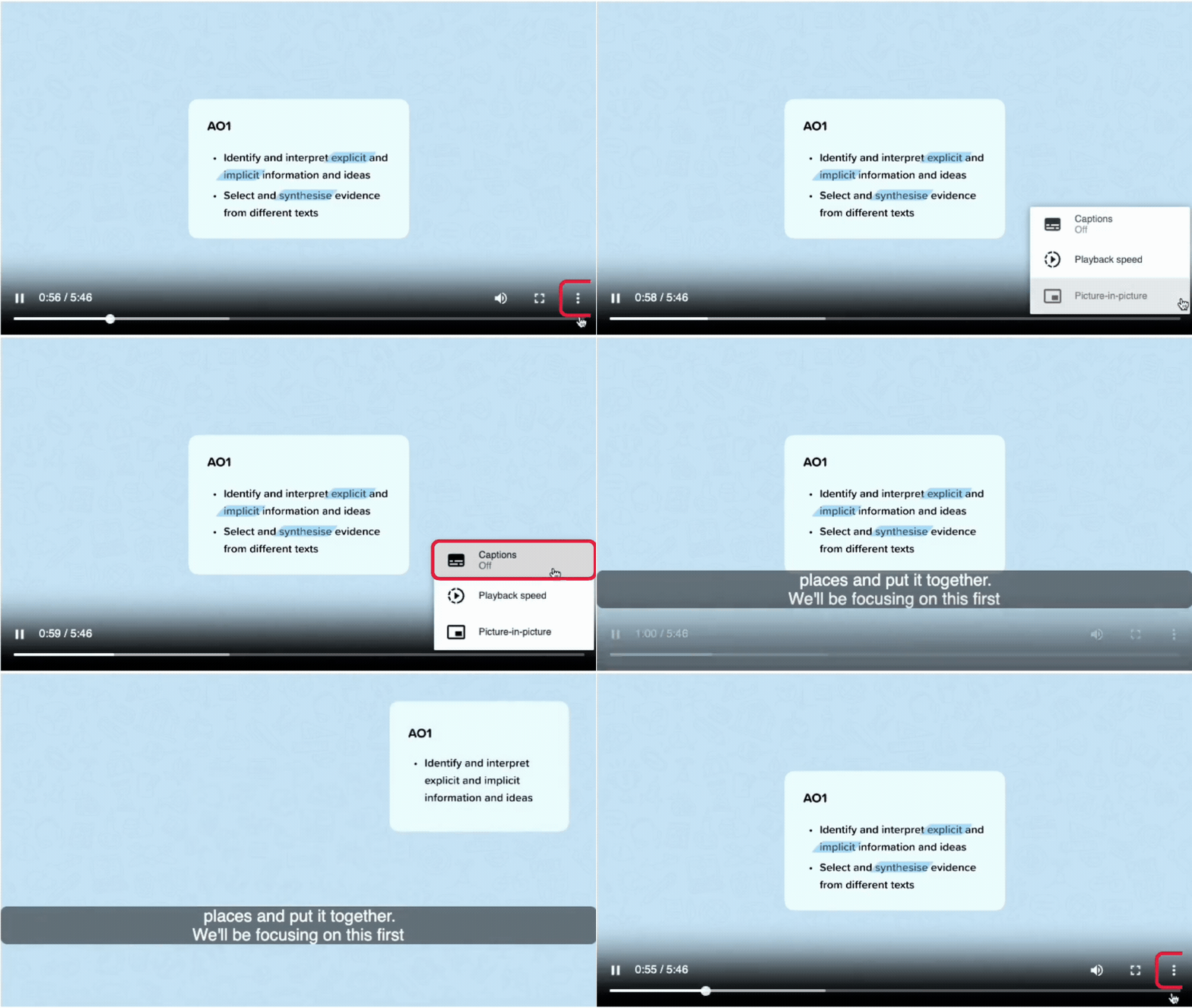
When watching a learning material video, you can activate subtitles (where available). To do this:
-
Hover over the video and press the Options button (three dots icon).
-
Click on ‘Captions’ to turn the subtitles on.
-
Subtitles will automatically be turned on. To turn them off, click on the ‘Captions’ button again.
Note: If the ‘Captions’ button does not appear, subtitles are not currently available for the video.