
Note: Only teachers with Manager permissions can deactivate / reactivate other accounts. Please contact your Account Manager or support@century.tech if you would like to update your CENTURY permissions.
Deactivating teacher accounts
If you deactivate a teacher, they will no longer be able to access their account on CENTURY.
To do so, follow these steps:
-
Go to your Class Admin tab.
-
Go to the Teachers tab.
-
Search and select the user whose information you wish to update.
-
Select the three dot icon to the right of their name, then select ‘Deactivate account’.
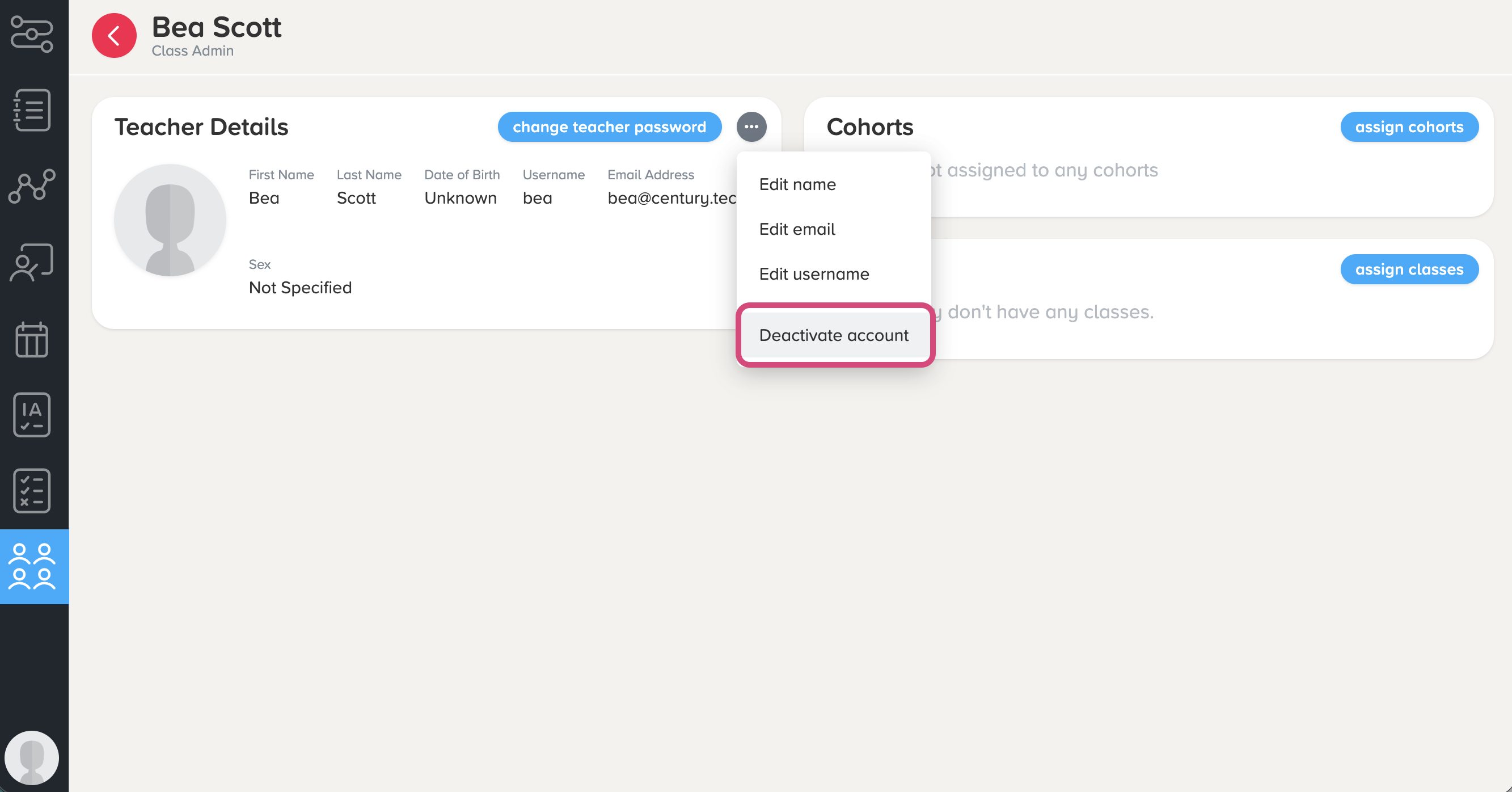
Note: You can also edit the user's name, email, and username from this menu.
5. The user's name should now include ‘[Deactivated]’. You also will no longer be able to edit any of the information on their profile or add them to classes.
Reactivating teacher accounts
To reactivate a teacher, simply click the ‘Reactivate account’ button on their account page.
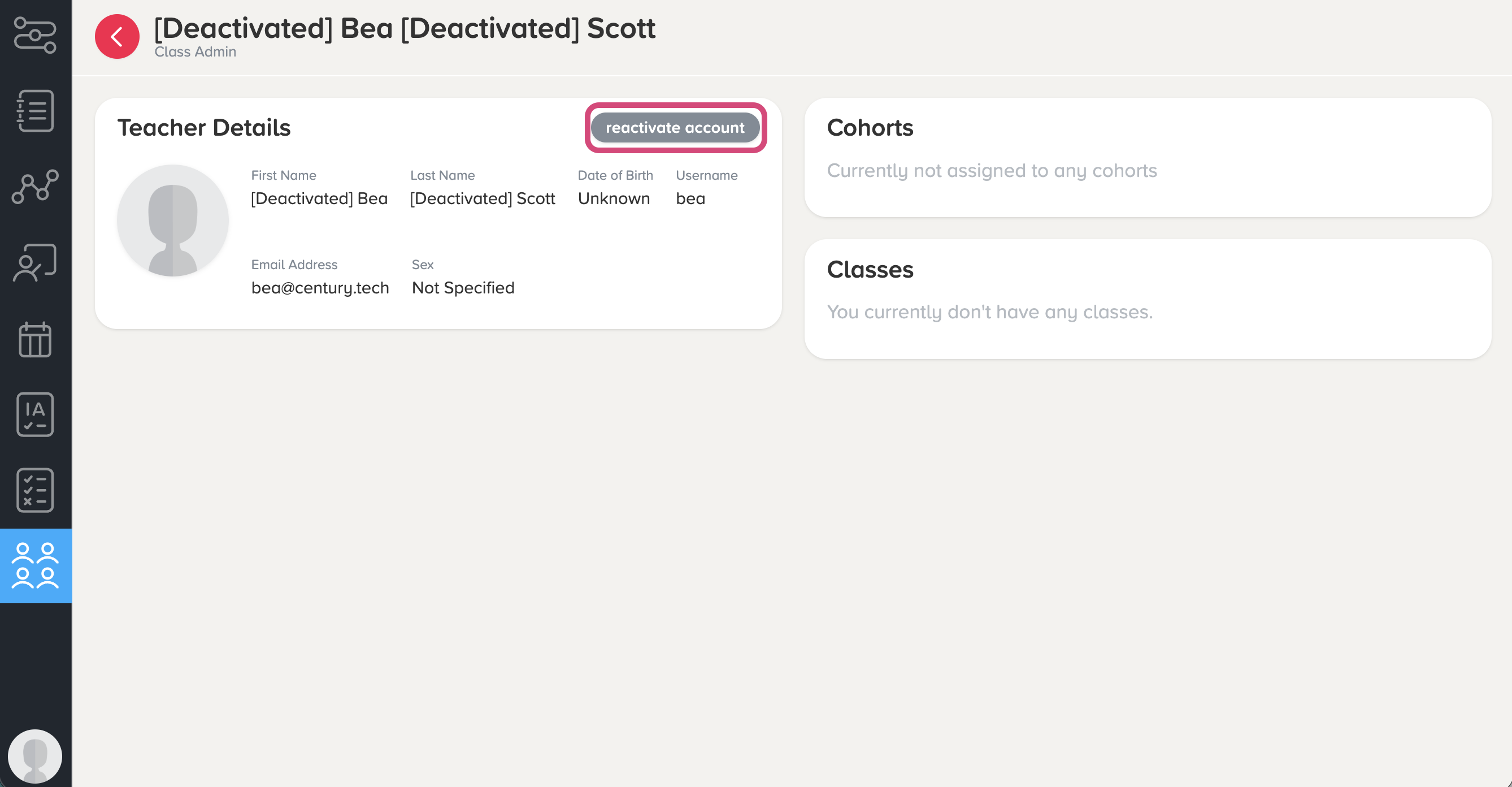
This will remove ‘[Deactivated]’ from their name, and enable them to log in to their account as usual.