
Resetting assessments
You can reset assessments for individual learners, for example if a learner returns and needs to take the Smart IA again.
To reset an assessment, you must first ensure that the assessment is still active. You can do this by heading to the Assessments tab and selecting the Assessment Cohort that contains the learner.
Ensure that you have selected the right assessment in the top left (English, Maths, or Digital Skills). Once confirmed that the assessment is still active, select the ‘Reset’ button next to the learner's name.
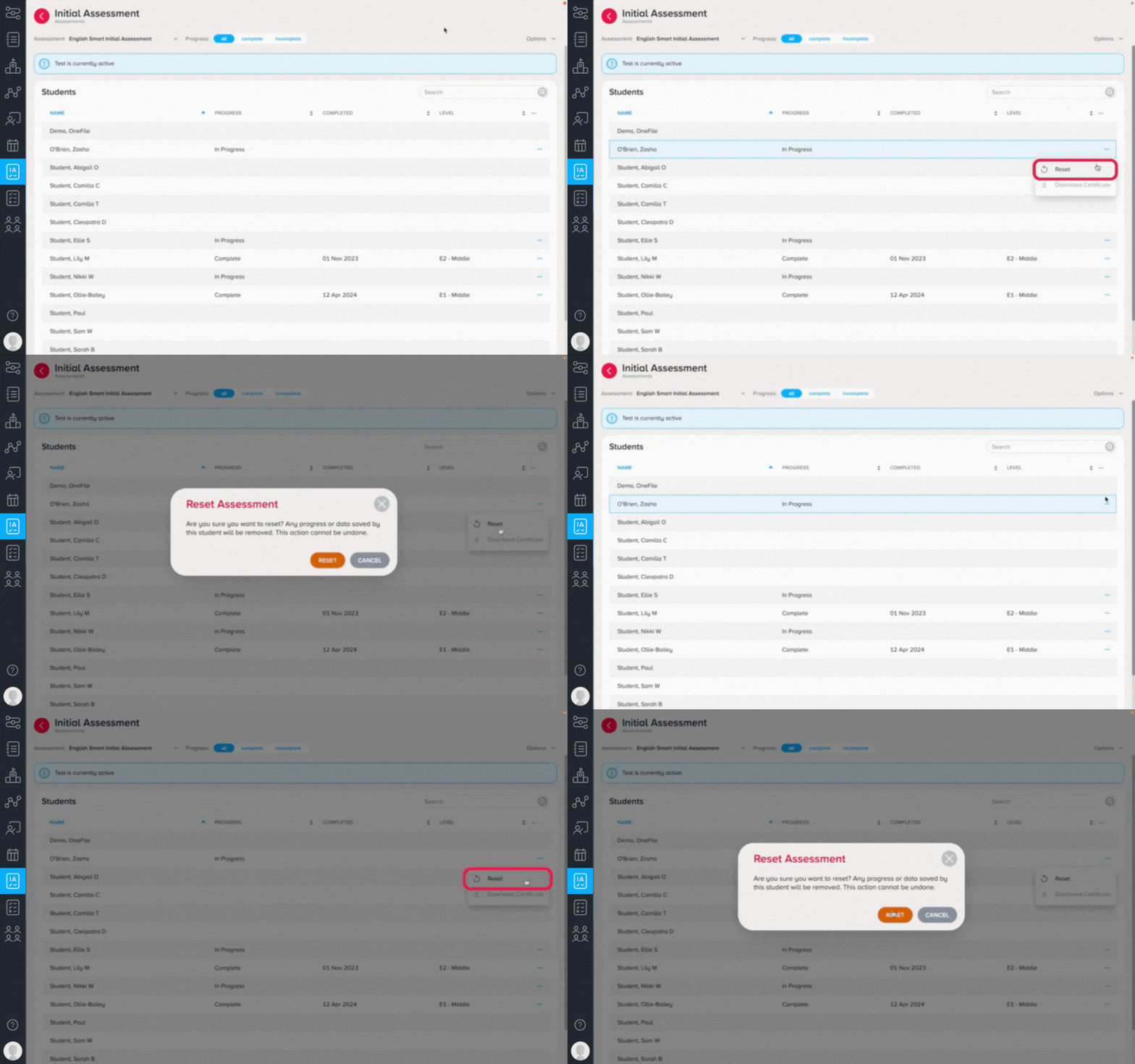
Please note that any existing assessment data will be removed, so only click the reset button if you are certain that the learner will be retaking the assessment.
If you need to reset assessments for a group of learners, please reach out to your Account Manager or support@century.tech who will be able to support.
Once the learner re-completes their assessment, the result will appear in the Assessments tab.