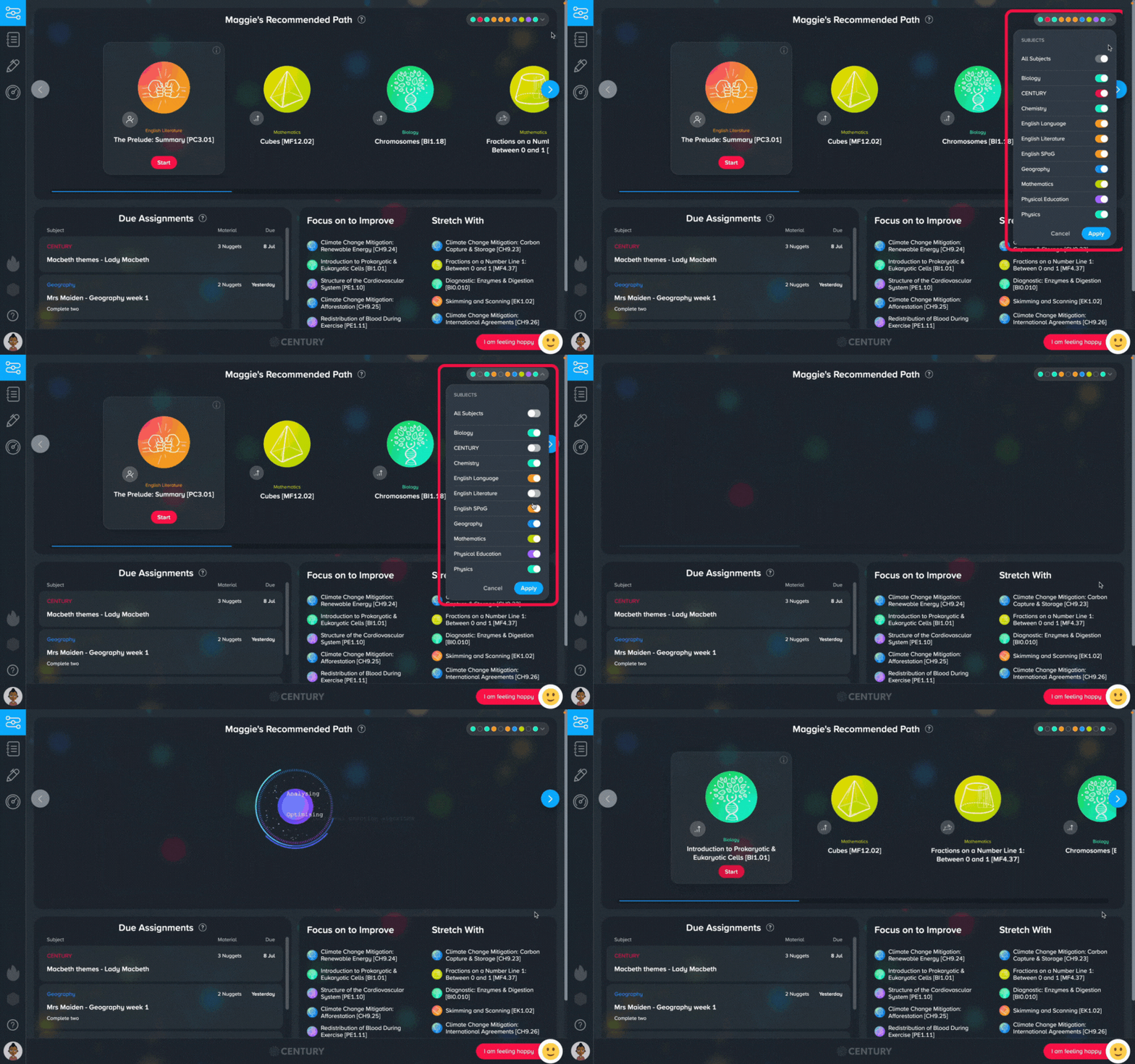
The Recommended Path (RP) will typically show nuggets for all the subjects you are studying.
If you want to focus on a particular subject, it’s easy to customise your RP. Simply use the filter on the top right corner to toggle which subjects you’d like to study, then click ‘Apply’. The RP will now show only nuggets from the subjects you’ve chosen.
This is a great way to concentrate on a specific subject.