
To download a list of all students in your organisation on CENTURY:
-
Go to the Class Admin tab.
-
Navigate to the Students tab.
-
Click on the three dots icon on the right, then click ‘Download all students CSV’. You can then select whether to download a list of all students, or to exclude any students with disabled accounts.
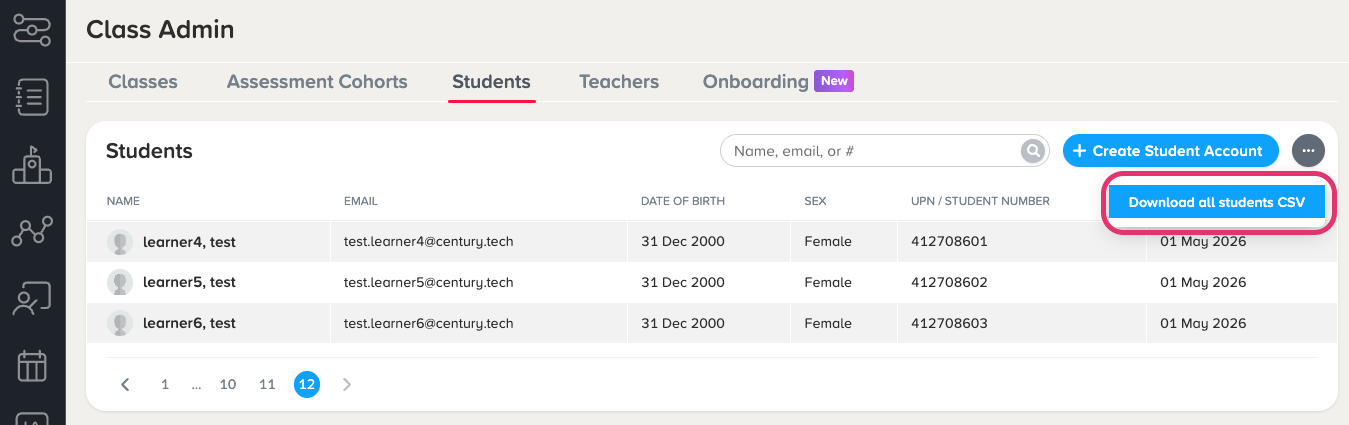
4. A CSV file will be downloaded to your computer, which includes:
-
Names
-
Emails / usernames
-
Date of birth
-
Sex
-
SEN, EAL, and PP information
-
Enabled account status
To download a list of all teachers within your organisation:
-
Go to the Class Admin tab.
-
Navigate to the Teachers tab.
-
Click on the three dots icon on the right, then click ‘Download all teachers CSV’. You can then select whether to download a list of all teachers, or to filter for specific roles. You can also choose whether to include deactivated accounts.
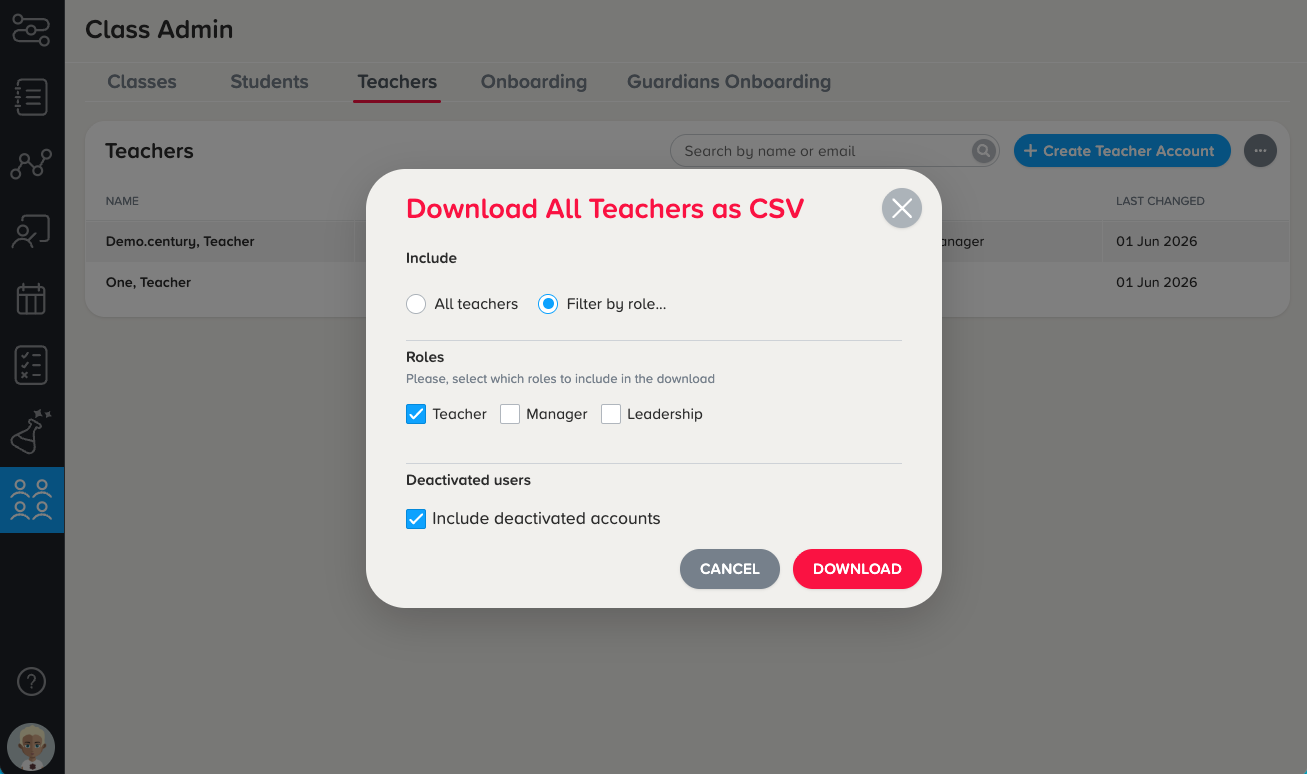
4. A CSV file will be downloaded to your computer, which includes:
-
Names
-
Emails / usernames
-
Assigned role(s) on CENTURY
-
Enabled account status